Video Converter Pro
Convert any video on your PC — no uploads, no cloud, no accounts.
What Video Converter Pro does
Six things, each done properly — no marketing features padded onto a list.
Everything stays local
The file never leaves your device. No uploads, no servers, no internet required. Works fully offline, even for hour-long 4K footage.
GPU acceleration
Auto-detects NVIDIA NVENC, Intel Quick Sync, and AMD AMF on startup. Encodes through hardware when available, falls back to CPU silently if a GPU job fails.
7 output formats
MP4 (H.264), MKV, MOV, AVI, WebM (VP9), MP4 (H.265/HEVC), and MP3 audio extraction. Four quality presets map to real CRF values, not marketing labels.
Batch queue & trim
Drop files or scan a whole folder at once. Set a start/end trim per clip. Run up to 4 conversions in parallel with independent settings per file.
Pause & resume
Pause any file mid-job. Resume picks up from the exact encoded frame — the partial segment is saved as a temp MKV and concatenated losslessly on completion.
Live progress
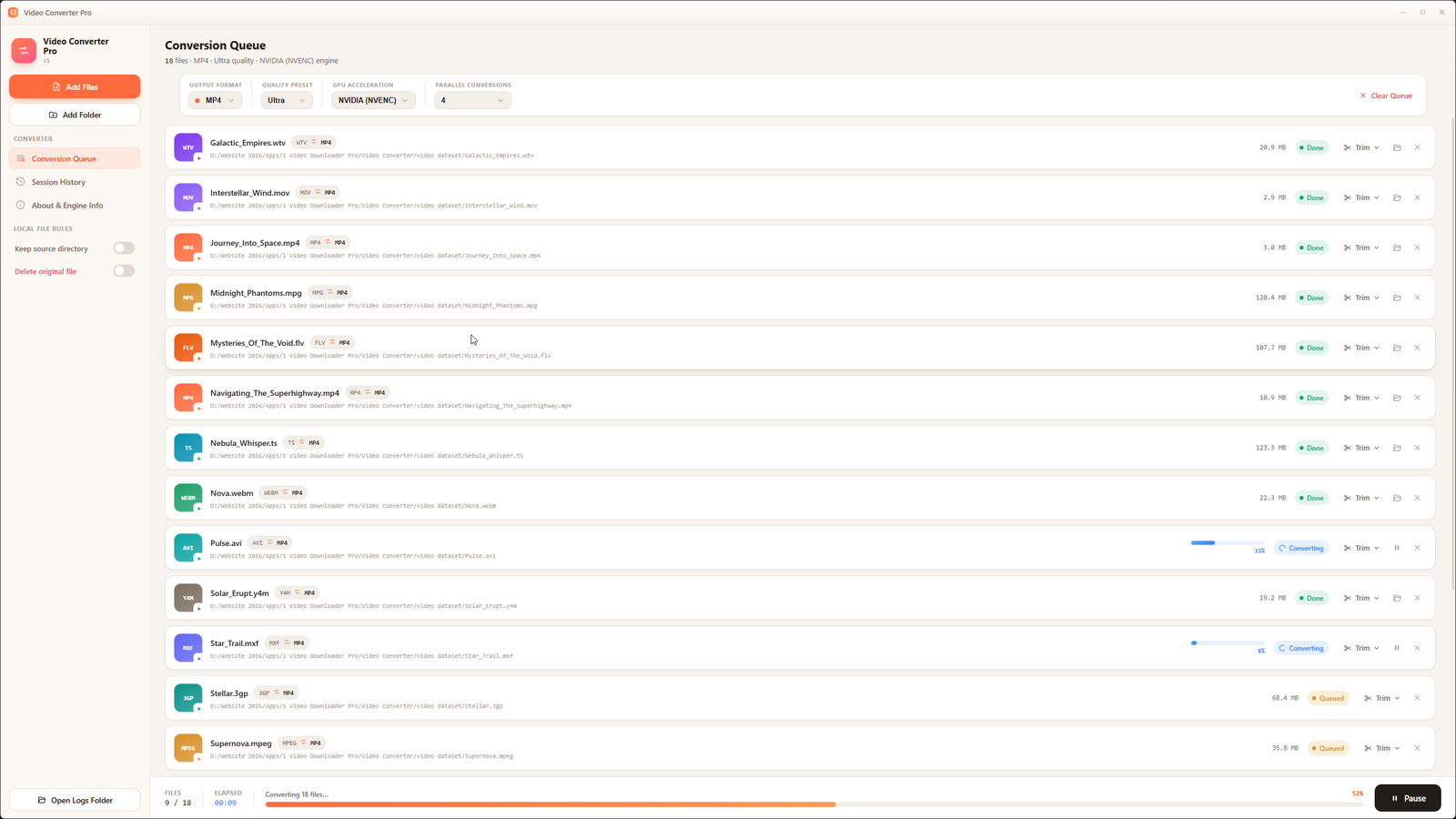
Real fps, encoding speed multiplier, and ETA per file — parsed directly from ffmpeg’s output stream. No fake bar that jumps to 90% and stalls.
Screens
A quiet, focused Windows interface — here’s what it looks like in use.
Other apps
Pill Check
v1.0.3 · Medical
CMS Prep
v1.0.0 · Education
Cortex
v3.1 · Productivity